
AI CHRISTMAS VIDEO
Make a Santa visit video
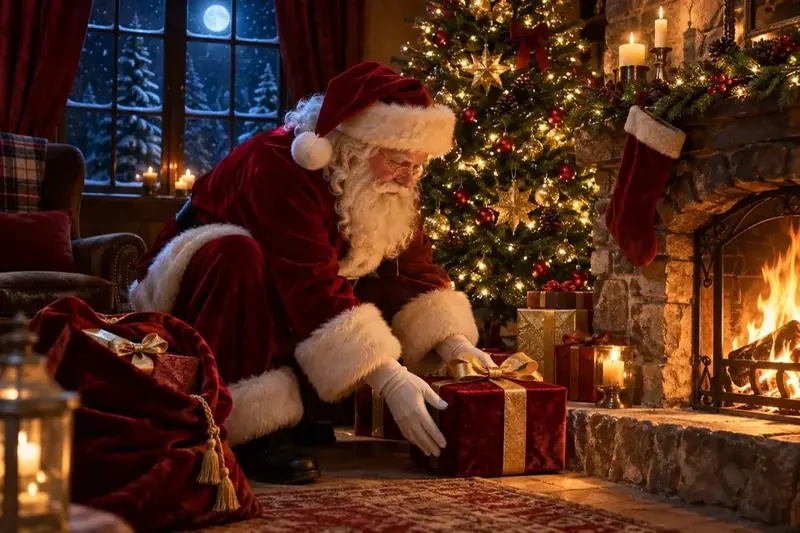
Turn a photo of the tree or fireplace into a short scene with a surprise visit from Santa.
Live stage
Local preview · FreeSanta Visit Surprise
Sample artworkSanta was here!Add a photo or choose a sample to render an AI video.
SCENE PLAYBOOK
How to stage a convincing “Santa in my house” photo
Use a real photo of your own living room, Christmas tree, or fireplace so kids immediately recognize their home when Santa steps into frame.
Photo tips for best results
- Shoot your Christmas tree or fireplace from across the room, leaving open floor space beside the tree where Santa can appear.
- Turn on the tree lights and dim overhead ceiling lamps for a cozy Christmas Eve look that matches the AI lighting.
- Hold the camera steady and avoid cluttered foreground objects blocking the lower half of the tree.
Popular ways to share
- Christmas morning “proof Santa visited” surprise clip to show kids on a phone or living-room TV.
- Playful holiday eve video from parents and grandparents using the family’s actual fireplace.
- Shareable 6-second 1080p clip with native festive audio for family group threads.
FEATURED SCENES
More Christmas video scenes

GOOD TO KNOW
Santa Visit Surprise FAQ
Can I use a photo of my own living room without people in it?
Yes—in fact, an empty photo of your decorated tree or fireplace works best because it gives Santa clear space to walk in, set down a gift, and wave.
Will the room furniture and Christmas tree stay recognizable?
The Santa Visit Surprise prompt anchors the photographed room, tree, and decor in place while animating warm light and Santa’s brief appearance.
How fast is a Santa visit video ready on Christmas Eve?
Local card previews appear immediately. Cloud AI video renders typically complete within a couple of minutes and save straight to your private history.